Learning experience · 2025
Elevate U
Learning a skill should
include a chance to use it.
A personalised mobile learning concept that connects soft skills lessons, practical tasks, feedback, and progress.
- My role
- Research, UI/UX & branding
- Project
- Individual project
- Platform
- Mobile app concept
The brief
Elevate U explores how students, professionals, and entrepreneurs could practise communication and leadership in a more affordable, flexible learning experience.
01
Context
Learning a soft skill should lead to using it.
Knowing what makes a good presentation is different from feeling ready to give one. Elevate U explores that gap through a mobile platform for students, professionals, and entrepreneurs who want to develop communication, leadership, and other soft skills.
I worked across research, ideation, user flows, branding, and interface design. The direction was a connected learning experience: find something relevant, understand the course, practise, and reach out for support when needed.
The project’s breadth is intentional. Its screens connect course discovery, lessons, interactive activities, practical submissions, and mentor contact. The case study below traces how those parts support the learning journey.
02
Problem and opportunity
Training needs to fit the learner’s situation and lead to practice.
The source research describes traditional training as costly, generic, and often passive. Learners also face low confidence and limited time. Together, those barriers make a long catalogue of video lessons an incomplete response to the problem.
The opportunity was to connect four things that are often separated: a learner’s starting point, a relevant course, a chance to practise, and feedback on that practice. The proposed platform uses personalisation, shorter learning units, and interaction to connect them.
| Barrier identified | Product opportunity |
|---|---|
| High cost and limited time | Explore an accessible mobile format with bite-sized learning. |
| Generic material | Use goals and an assessment concept to guide relevant recommendations. |
| Low confidence in real situations | Include presentations, practical assignments, and situational activities. |
| Limited feedback and visible growth | Connect submissions, mentor contact, and a progress dashboard. |
03
Goal
Help a learner choose, practise, and understand their progress.
The primary goal was to design a flexible soft skills learning experience for students, professionals, and entrepreneurs. Communication, leadership, and adaptability provided the broader learning context.
The experience needed to make the next activity understandable while giving learners several ways to participate. The dashboard, curriculum, tasks, and communication features were designed as connected parts of that journey.
- Relevance
- Connect a learner’s goals with suitable courses and recommendations.
- Access
- Explore multilingual onboarding and different sign-in options.
- Practice
- Let the learner submit work and take part in interactive activities.
- Support
- Provide routes to mentors and community conversations.
- Progress
- Bring course progress and the proposed assessment information into view.
04
Scope
An individual project from research to a mobile UI system.
I worked across research, UI/UX design, and branding. The source documents problem study, secondary research, one-to-one interviews, persona development, user flows, visual foundations, and high-fidelity mobile screens.
The product scope includes AI-led assessment and feedback as proposed capabilities. Those ideas are represented in the experience and interface; their accuracy and technical implementation would need separate validation.
- Entry
- Splash screen, language choice, sign-in, account creation, and fingerprint setup.
- Direction
- Questionnaire, dashboard, assessment report, search, and recommendations.
- Learning
- Course details, curriculum, lesson content, and learning progress.
- Participation
- Practice uploads, a written reflection, puzzles, and other challenges.
- People
- Mentor profiles, facilitator contact, and community chat.
- Identity
- The Elevate U brand, Mulish typography, and a consistent colour palette.
05
Explorations
The research gave the broad idea a more practical direction.
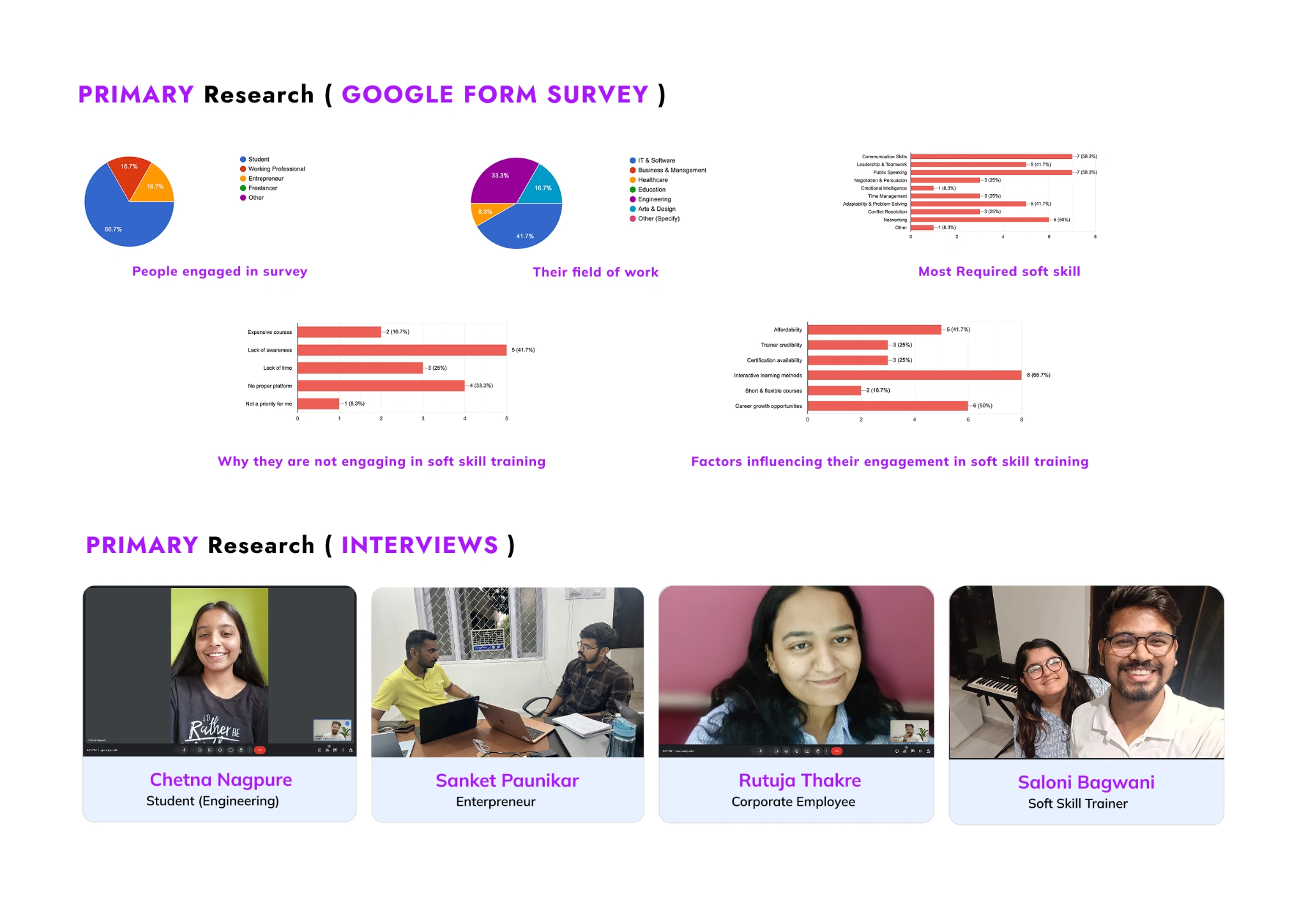
I used a Google Forms survey alongside interviews with an engineering student, an entrepreneur, a corporate employee, and a soft skills trainer. This brought both learner and trainer perspectives into the exploration.
In the survey chart, eight respondents selected interactive learning methods as a factor influencing engagement. Five selected affordability. Among barriers to training, five selected lack of awareness and four selected the absence of a suitable platform. These are responses from a small project survey, not population-level findings.
Communication and public speaking were each selected by seven respondents as required skills. That gave the course and presentation examples a concrete place in the design, while retaining other skill categories.
I used the research to frame design priorities rather than claim the product had already solved them: make learning easier to discover, explain the commitment before enrolment, include activities beyond watching, and provide a route to support. The interview board records the perspectives consulted; it does not provide verbatim transcripts or test results.
| Evidence in the project | Design decision |
|---|---|
| Interactive methods selected by 8 respondents | Include puzzles, practice tasks, and video alongside course content. |
| Affordability selected by 5 respondents | Make course price and content visible before enrolment; affordability remains to be validated. |
| Lack of awareness selected by 5 respondents | Provide categories and search to help people discover relevant learning. |
| Communication and public speaking selected by 7 respondents each | Use presentation and communication courses as concrete learning examples. |
Two different starting points, with a shared need for guidance.
Riya Singh, the student persona, wants more confidence, clearer communication, affordable learning, and a way to track growth. Her barriers include limited time, the cost of courses, fear of speaking, and a lack of guidance.
Shreyash B, the data analyst persona, needs clearer communication and more confident presentations. His profile brings work meetings, data storytelling, limited time, and generic course content into focus.
These personas are synthesis tools rather than additional interview participants. Together, they helped me consider how someone could enter through a personal goal, choose a relevant course, and find guidance without assuming every learner has the same background.
Give the learner several routes, with a dashboard to return to.
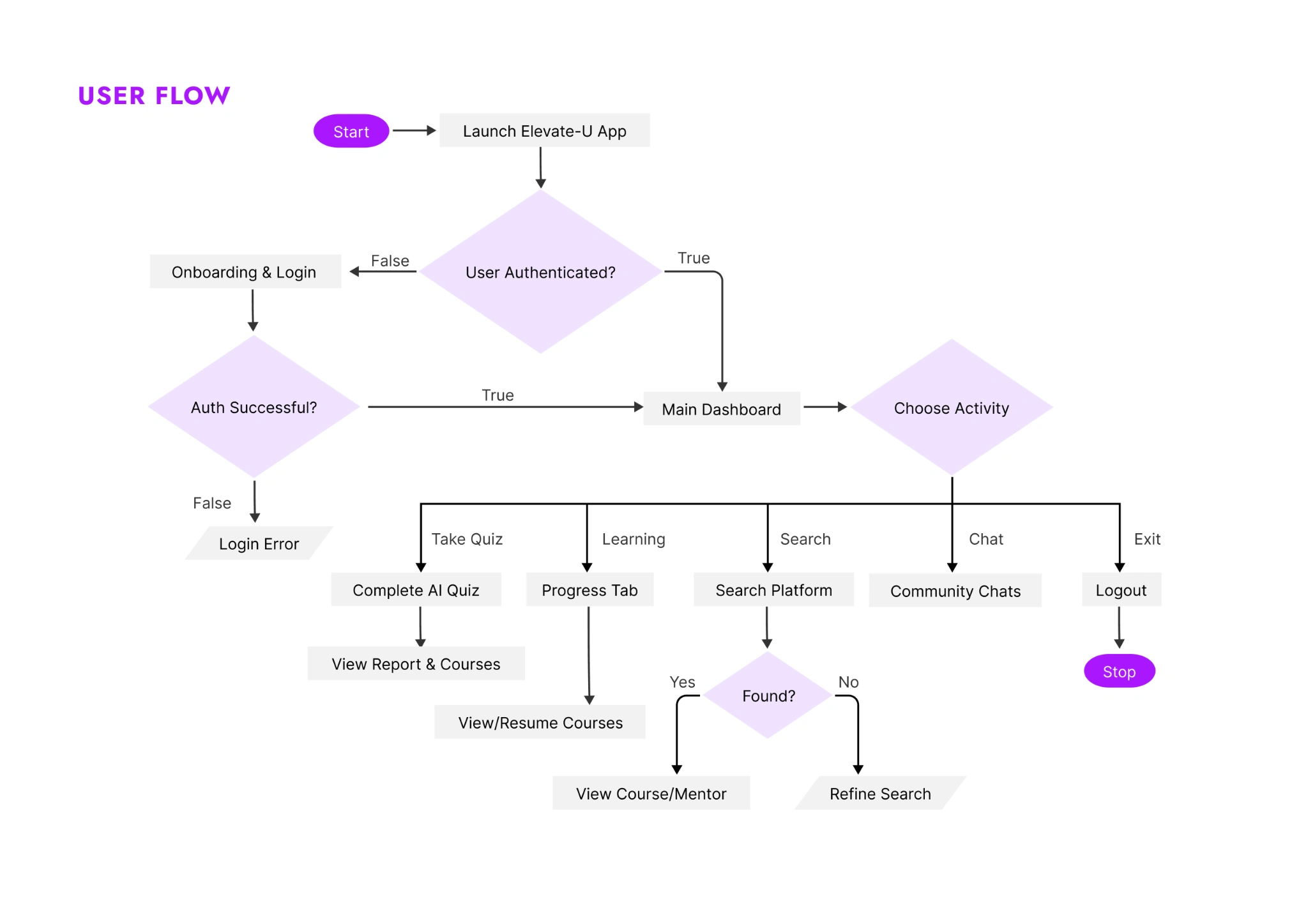
The user flow connects account access with a main dashboard, then branches into assessment, ongoing learning, search, and community chat. Returning learners can resume a course; someone looking for direction can search for a course or mentor.
The proposed AI quiz leads to a report and course recommendations. I treat that as an assessment concept within the design, not a validated measure of someone’s ability.
I kept the entry screens focused on language and account access. The annotated onboarding board shows how those steps lead into the learning experience, while the flow makes the wider navigation visible.
An identity built around moving upwards.
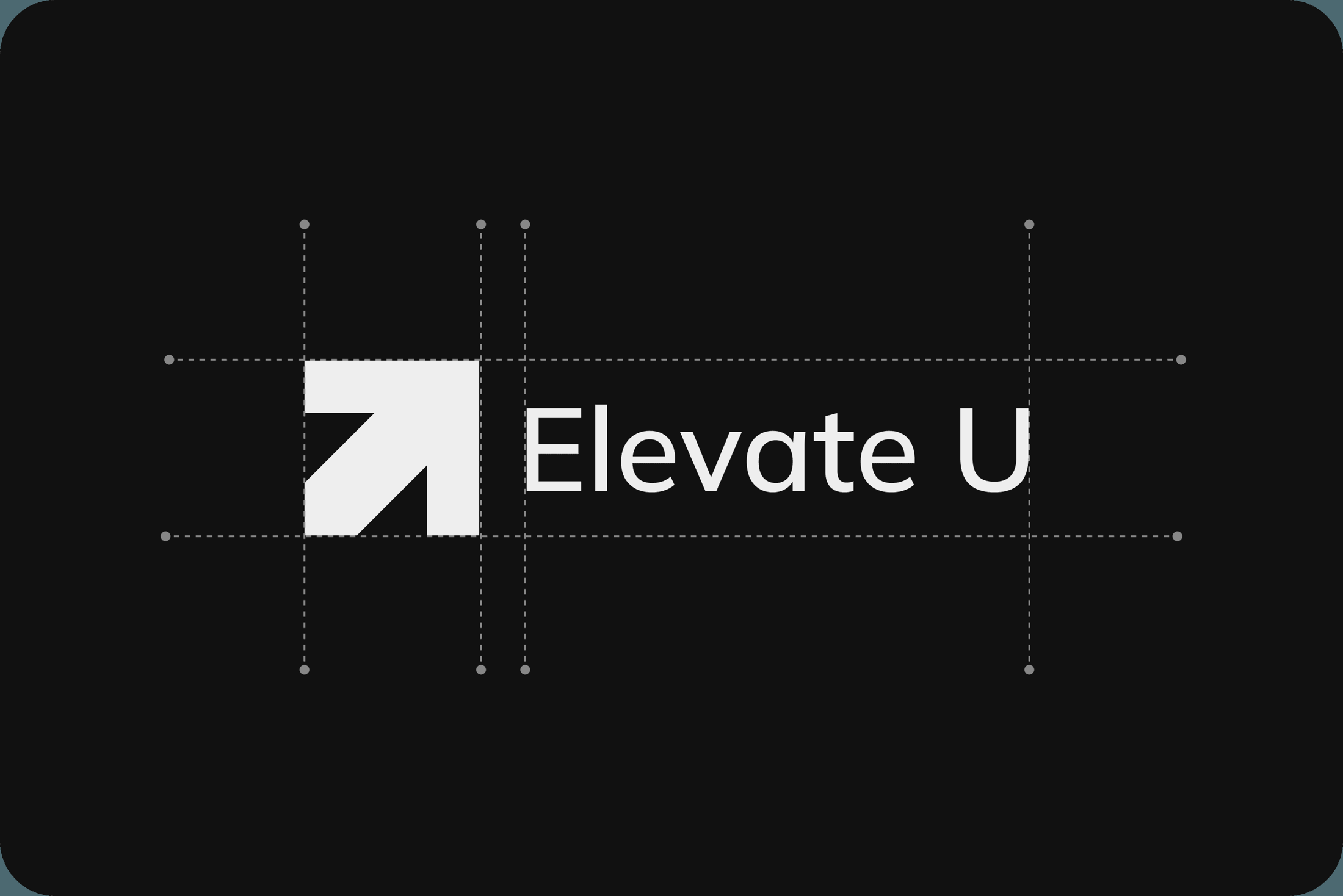
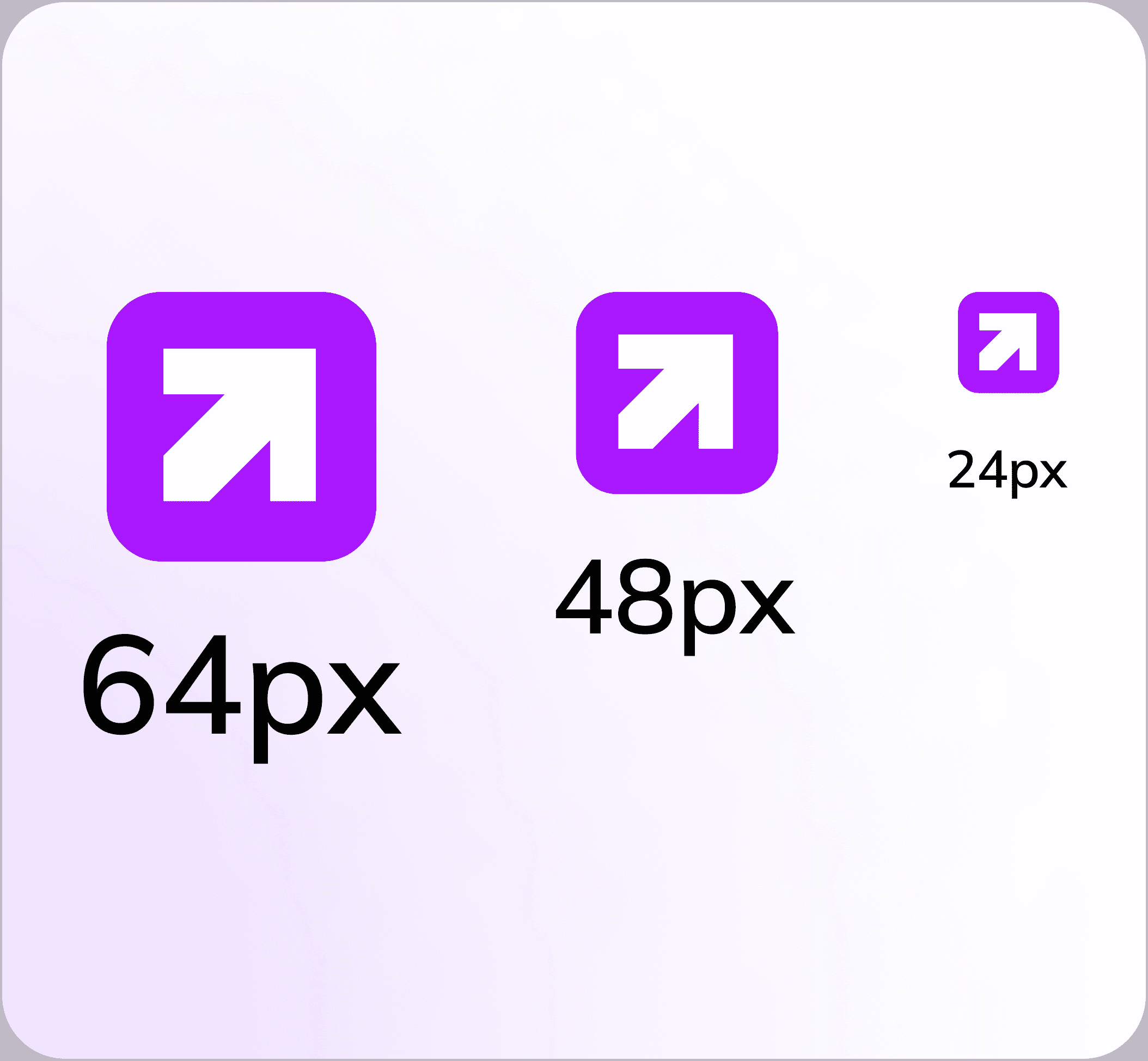
The branding explores the idea of elevation through upward motifs, the letter U, and a cup motif. The identity links the name to continuous growth.
The interface uses Mulish with a palette of violet, lilac, platinum grey, and charcoal. The stronger colour gives actions and progress a recognisable presence, while neutral surfaces provide space for lessons and learning information.
06
Solution
Start with direction, then make the course easy to understand.
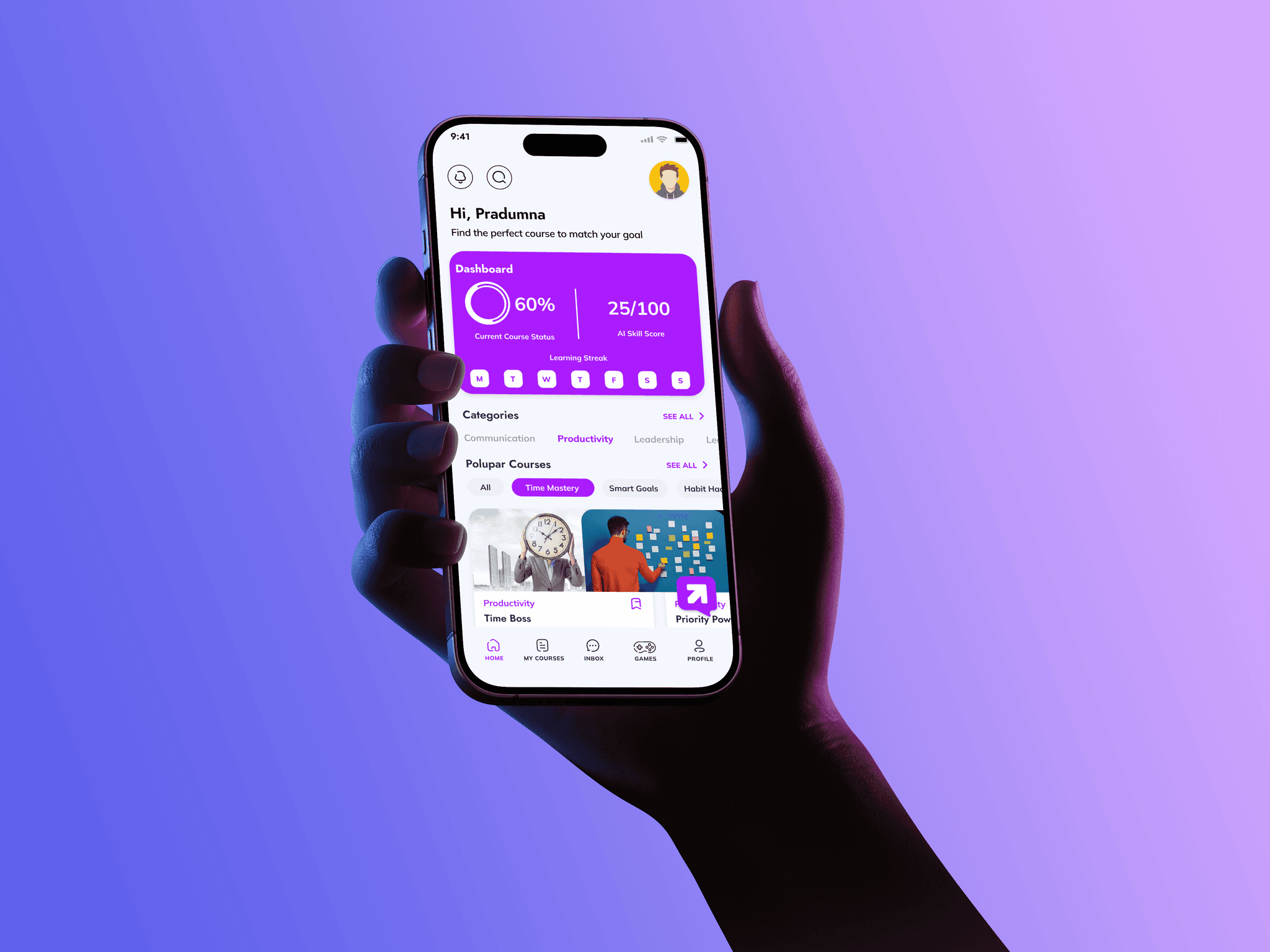
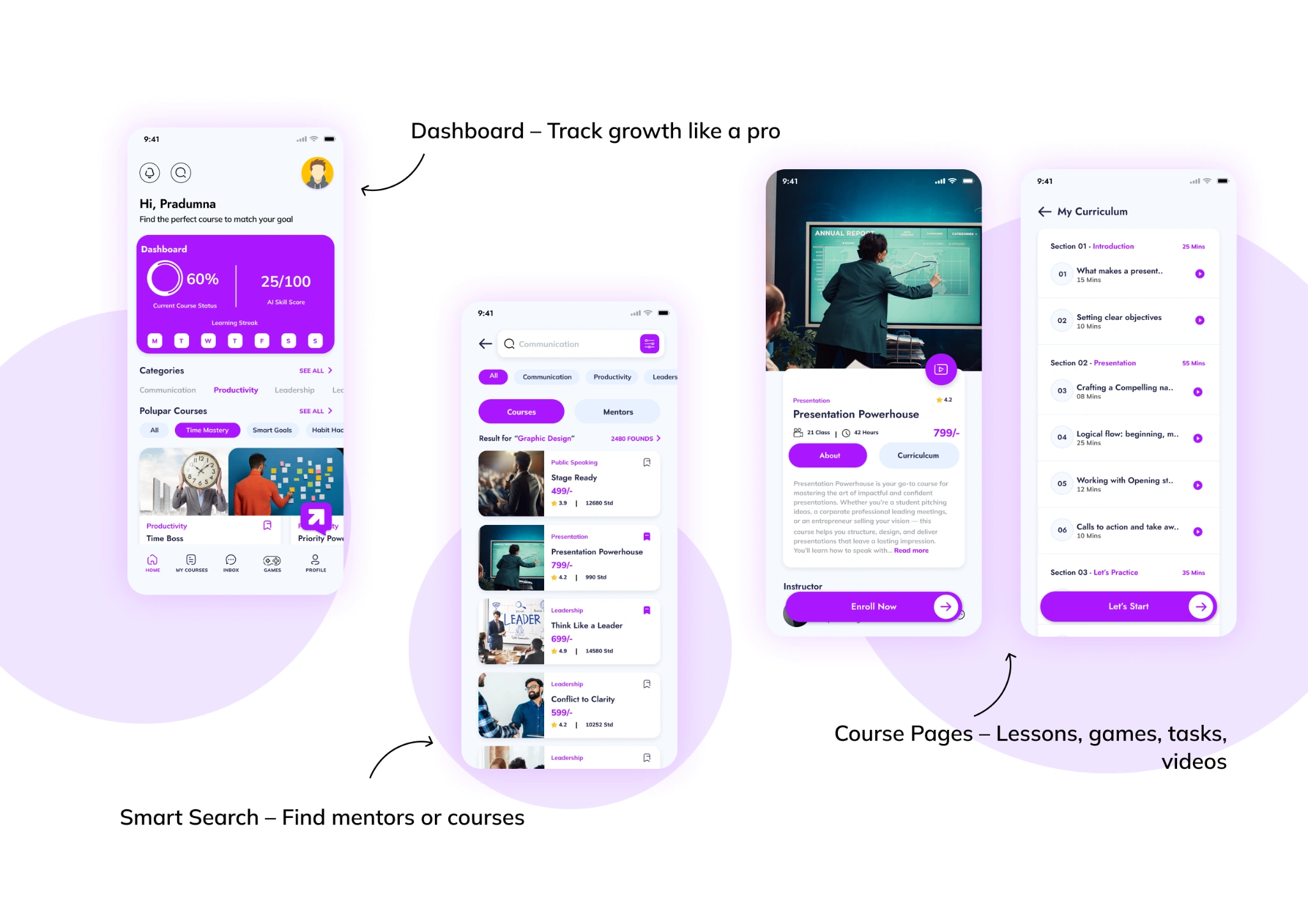
The dashboard brings ongoing learning, categories, recommendations, and progress into one place. Search provides a deliberate route for someone who already knows the skill or mentor they want to find.
The course detail and curriculum screens then explain the choice: price, duration, instructor, and the structure of the lessons. I wanted the learner to understand the commitment before enrolling.
The score, streak, ratings, prices, and course counts in these screens are demonstration content. The AI skill score would need separate validation before it could be used as meaningful feedback.
Make the commitment understandable before enrolment.
The course page brings the curriculum and total duration into view before the learner enrols. Modules, theory, and practical activities describe what the course involves, so the decision is based on more than a title or cover image.
This detail connects the learner’s goal with the work ahead. Someone looking to improve a presentation can see the structure of the course and understand how the activities fit together.
Let a lesson lead to something the learner can share.
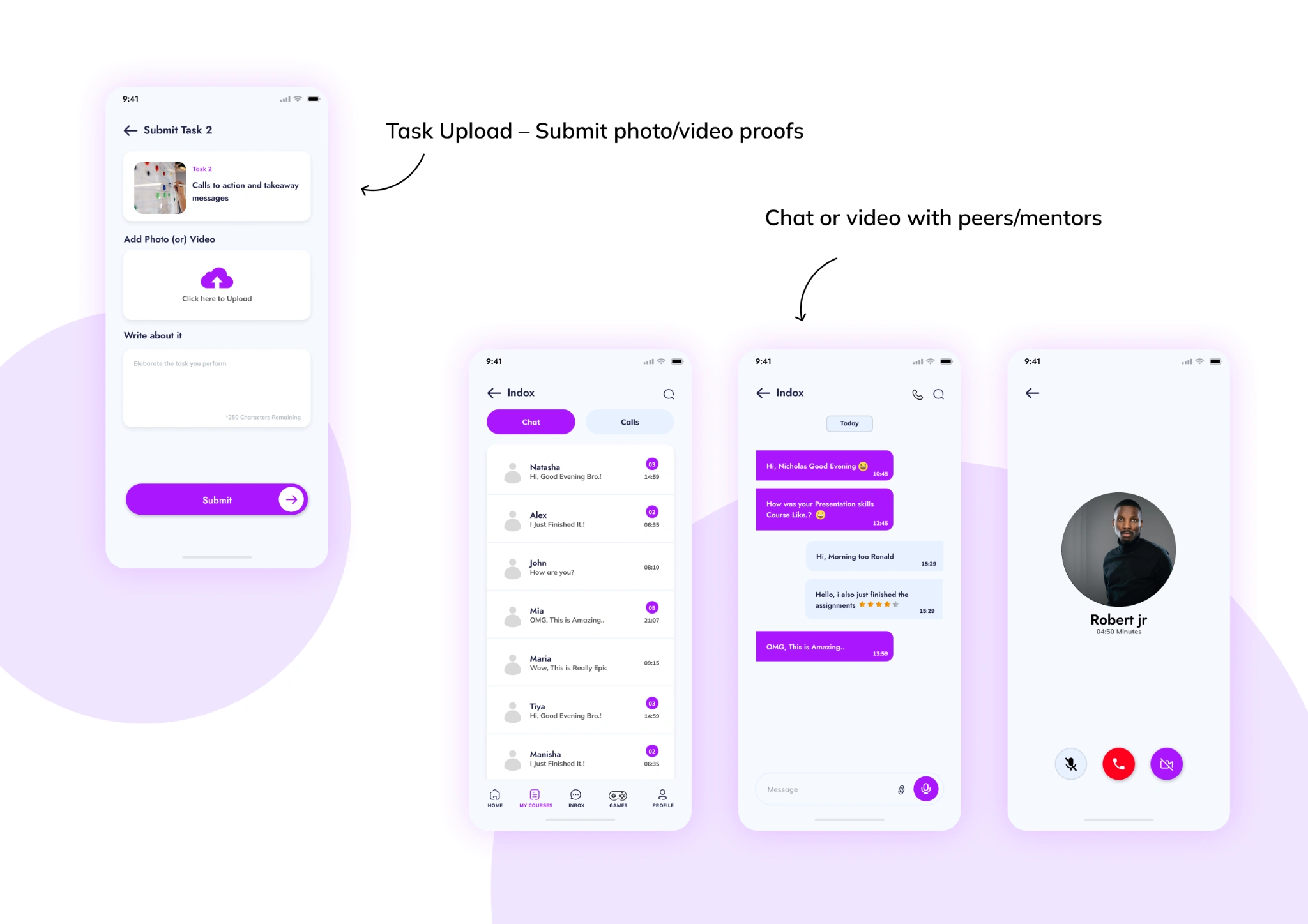
The task screen pairs a photo or video submission with a written reflection. It gives a practical assignment somewhere to go beyond a completed lesson.
Inbox, conversation, and calling screens provide routes to peers or mentors. Their purpose is to keep a request for help close to the learning experience. The designs show those routes; they do not demonstrate measured response quality or learning improvement.
Support different ways to continue learning.
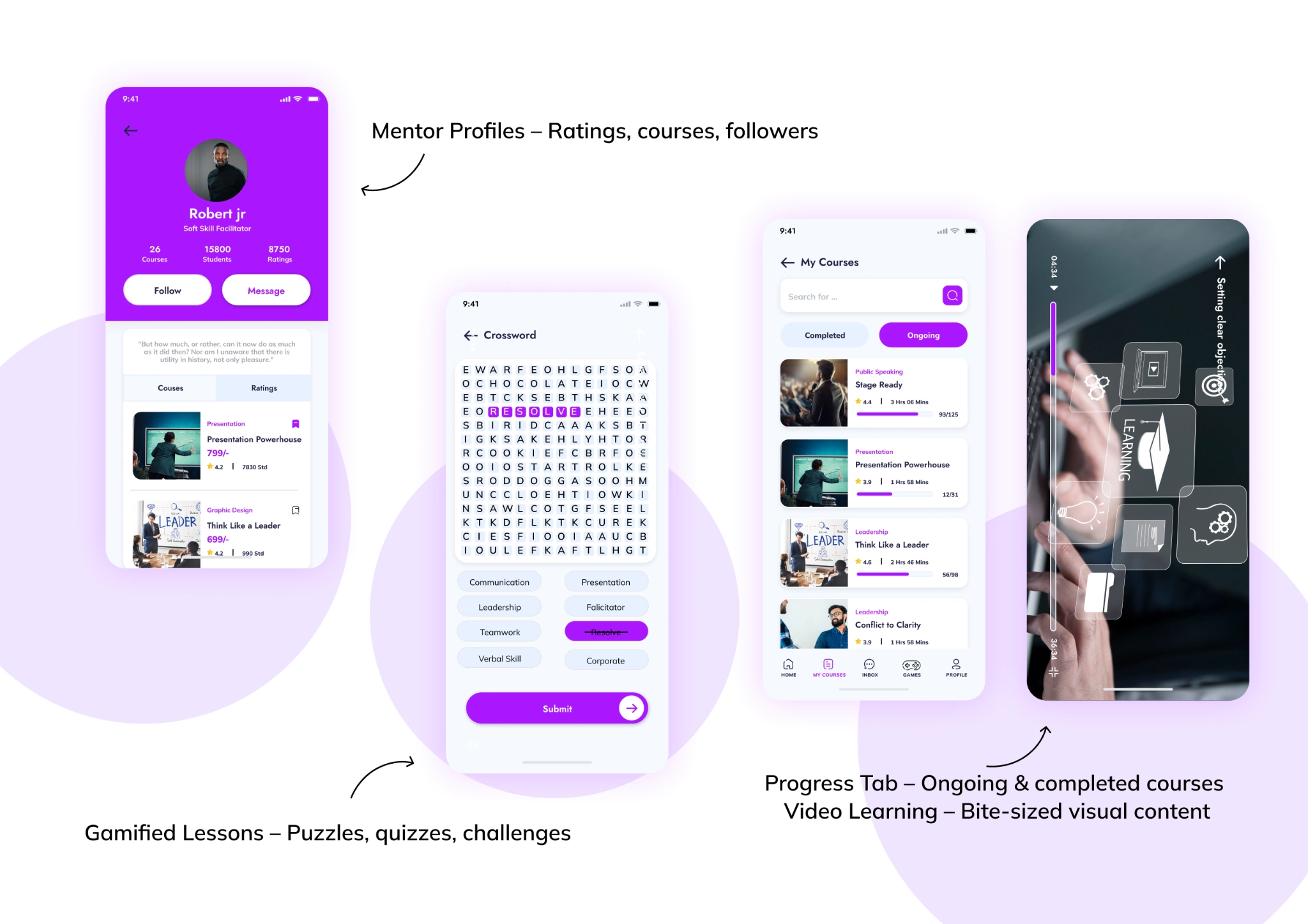
Mentor profiles introduce the person behind a course and provide follow and message actions. Ongoing and completed course views help a learner return to the work already started.
Video lessons and word-based activities offer different ways to engage with the material. I included them as alternatives within the learning experience, without assuming that a game or a streak automatically improves retention.
Together, these screens express the original product direction: discovery, learning, practice, and support connected through a shared mobile interface.
- Choose a language and create or access an account.
- Share goals or take the proposed assessment.
- Review the dashboard and find a relevant course or mentor.
- Understand the curriculum and enrol in the course.
- Work through lessons and complete practical activities.
- Submit work, use feedback, and return to the progress view.
07
Conclusion
The central design idea is a connected practice loop.
The design outcome is a high-fidelity mobile learning concept supported by survey material, interview documentation, personas, sketches, a user flow, and an identity system. The research informs the direction; the screens make the proposed experience concrete.
What remains unproven is how well people can use that experience and whether it improves learning. The next evaluation should follow the existing flow: choose a relevant course, understand the curriculum, submit a task, and find help. No new feature is required to ask those questions.
A connected learning concept, ready for validation.
The final design connects onboarding, assessment, course discovery, a learning dashboard, practice tasks, and community features in one mobile UI system. The story running through it is simple: understand a goal, learn something relevant, apply it, and make progress visible.
The next step would be to test that journey with learners: do they understand their next activity, complete a practice submission, and find the feedback useful? The case study documents the design concept; it does not report post-launch learning or retention results.